
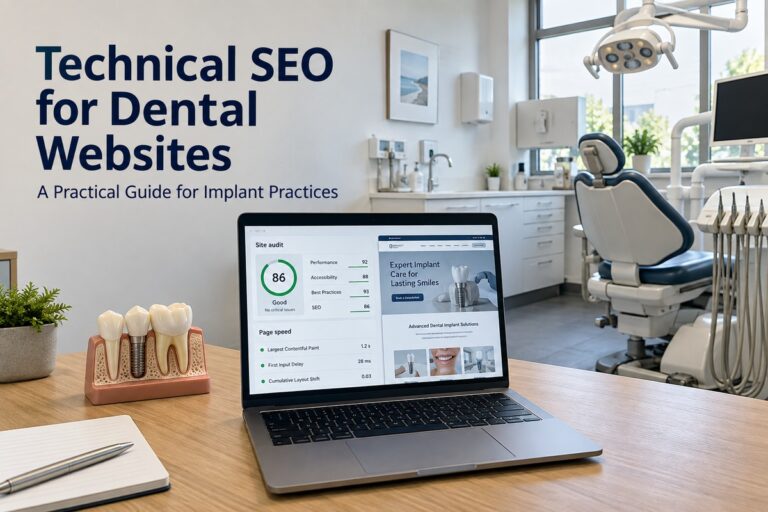
Technical SEO for dental websites helps ensure that search engines can access your treatment pages and prospective patients can use your site without unnecessary delays. For dental implant practices, that means giving pages about single-tooth implants, full-arch restoration, and implant consultations a reliable technical foundation.
Even detailed treatment content can struggle to perform when pages are blocked from indexing, mobile content is incomplete, or a redesign breaks established URLs. Addressing these problems helps support dental implant SEO while making your website easier to navigate.
Make Your Implant Treatment Pages Accessible to Google
Start with the pages most important to your practice: your main dental implants page, individual treatment pages, provider profiles, and office locations.
Use Google Search Console’s URL Inspection tool to investigate whether Google has indexed each priority URL. When a page is missing, check its indexing status before assuming the problem is its content.
Check for Accidental Indexing Restrictions
A technical audit should investigate:
- Noindex directives: Confirm that important public pages do not tell search engines to exclude them.
- Robots.txt restrictions: Check whether rules block treatment pages or resources needed to display them.
- Login requirements: Make sure public treatment information is accessible without authentication.
- Server failures: Investigate pages that intermittently fail to load.
- Incorrect canonical tags: Check whether a treatment page identifies an unrelated URL as its preferred version.
Google’s robots.txt guidance explains that blocking crawling does not reliably prevent a URL from appearing in search. A page must remain crawlable for Google to discover a noindex directive on it.
Keep Your XML Sitemap Focused
Your XML sitemap should contain the preferred, indexable versions of your public pages. Remove redirected URLs, broken pages, and URLs intentionally excluded from search.
Submit the sitemap through Google Search Console and investigate processing errors. A sitemap supports discovery, but Google does not guarantee indexing simply because a URL is included. Important implant pages also need internal links.
Improve Dental Website Speed With Measurable Targets
Dental implant websites often feature large photographs, patient videos, image galleries, and scheduling tools. Evaluate these elements on actual treatment pages instead of measuring only the homepage.
Core Web Vitals Benchmarks
Google’s Core Web Vitals guidance identifies three measures of loading, responsiveness, and visual stability. The recommended targets apply at the 75th percentile of visits, assessed separately for mobile and desktop.
| Metric | What it measures | Good threshold |
|---|---|---|
| Largest Contentful Paint, or LCP | How quickly the largest visible content element appears | 2.5 seconds or less |
| Interaction to Next Paint, or INP | How quickly the page responds to user interactions | 200 milliseconds or less |
| Cumulative Layout Shift, or CLS | Unexpected movement of page elements | 0.1 or less |
These are user-experience benchmarks, not promises of higher rankings. Google confirms that its ranking systems use Core Web Vitals, but good scores alone do not guarantee prominent placement.
Reduce the Weight of Images and Third-Party Tools
Ask your developer to prioritize changes that address measured problems:
- Resize photographs to match their displayed dimensions.
- Use appropriately compressed WebP or AVIF images where supported.
- Reserve space for images, videos, and embedded widgets.
- Delay loading offscreen galleries and videos.
- Avoid delaying the main image visible when the page first opens.
- Review chat widgets, tracking scripts, and scheduling tools for performance costs.
- Investigate slow hosting responses and ineffective caching.
Test the consultation form after performance changes. A faster page provides little benefit if script optimization prevents patients from submitting an inquiry.
Keep Mobile Treatment Content Complete
Google uses the mobile version of website content for indexing and ranking. Your mobile dental implant pages should retain the substantive information available on desktop, including treatment descriptions, provider details, images, and internal links.
Check Accordions, Menus, and Consultation Buttons
An accordion can make a long implant page easier to navigate on a phone. However, distinguish between collapsing content that has already loaded and fetching essential content only after someone taps a button.
Google advises against making primary content depend on user interactions such as clicking or swiping to load. Check that important treatment information exists in the rendered page without those actions.
During mobile testing, confirm that:
- Navigation links open the correct treatment pages.
- Sticky consultation buttons do not obscure text.
- Forms remain usable when the keyboard appears.
- Phone buttons call the intended office.
- Galleries and tables fit smaller screens.
Test several page types, since a working homepage does not establish that your treatment and location templates work equally well.
Build Clear Paths Between Implant Pages
Organize your dental website so visitors can move naturally from general implant information to specific procedures and consultation details.
For example, the main dental implants page can link to single-tooth implants, implant-supported dentures, and full-arch treatment. Those pages can link to relevant provider profiles, financing information, and office details.
Use Crawlable Internal Links
Google generally discovers links through standard HTML anchor elements with destination URLs. Its JavaScript SEO documentation explains how crawling and rendering affect discovery.
Ask your developer to check that navigation uses crawlable links rather than relying entirely on scripted buttons.
Use descriptive anchor text such as “implant-supported dentures” or “dental implant consultation.” Identify orphan pages, which have no internal links pointing to them, and connect useful pages to relevant sections of the site.
Resolve Duplicate URLs and Canonical Conflicts
The same treatment page may be accessible through tracking parameters, alternate domain versions, or duplicate landing-page URLs.
Google’s canonicalization guidance recommends consistent signals across canonical tags, internal links, and sitemaps. Canonical tags express a preference, and Google can select a different URL.
Give Distinct Pages Their Own Canonical URLs
A unique single-tooth implant page should generally identify itself as canonical. It should not point to your homepage or general dental implants page simply because those pages cover related topics.
Likewise, separate office pages with meaningful location-specific information should generally retain their own canonical URLs.
Check for:
- Canonical tags pointing to staging domains.
- Sitemap URLs that conflict with canonical tags.
- Multiple plugins generating different canonical instructions.
- Internal links pointing to duplicate URL versions.
These conflicts deserve attention before publishing additional versions of existing treatment content.
Add Accurate Structured Data for Your Practice
Structured data can help Google interpret business information on your website. Schema.org includes a Dentist type, and Google recommends using the most specific applicable LocalBusiness subtype.
Your implementation should accurately reflect visible practice information, including the business name, address, telephone number, and opening hours where applicable.
Validate Each Office’s Information
For a practice with multiple locations, check that each location page’s markup describes the correct office. Avoid automatically attaching the same address and hours to every location.
Use Google’s Rich Results Test to assess supported markup and investigate errors. Follow Google’s LocalBusiness documentation when selecting properties and validating implementation. Structured data does not guarantee a particular search appearance.
Do not assume that marking up testimonials will produce review stars. Google excludes self-serving reviews of LocalBusiness and Organization entities from its review-star feature, including reviews displayed through third-party widgets on the business’s own website.
Protect Existing URLs During a Website Redesign
A dental website redesign needs a URL migration plan before launch. Changing a successful implant page’s address without an appropriate redirect can leave search visitors and referring websites pointing to an obsolete page.
Export your existing URLs and map changed pages to the closest relevant replacements. Preserve established URLs when there is no practical reason to change them.
Apply Redirects Based on Page Relevance
| Situation | Appropriate technical action |
|---|---|
| An implant page moves to a new address | Use a permanent server-side redirect to its replacement |
| Two overlapping pages are combined | Redirect old URLs to the relevant consolidated page |
| A page is removed with no suitable replacement | Return a proper 404 or 410 response |
| Several redirects lead to the final destination | Update them to point directly to that destination |
| Internal links still use old addresses | Change them to the final URLs |
Google’s site migration guidance recommends keeping redirects for at least one year. Avoid sending every removed page to the homepage, since irrelevant redirects may be treated as soft 404 errors.
After launch, verify that staging restrictions are removed, HTTPS works correctly, and canonical tags reference the live domain.
Prioritize Your Dental Technical SEO Audit
A useful audit should identify the affected pages, the underlying problem, and how the repair will be verified. A long list of warnings without priorities makes implementation harder.
| Priority | Example issue | Verification |
|---|---|---|
| Immediate | Main implant page accidentally marked noindex | Check the live directive and request reprocessing |
| High | Broken redirects affecting established treatment URLs | Test response codes and destinations |
| High | Mobile rendering omits treatment information | Inspect rendered content and compare versions |
| Medium | Slow treatment-page templates | Retest performance and review available field data |
| Medium | Conflicting canonical or location markup | Inspect page output and validate consistency |
Begin with problems that prevent access or indexing. Then address rendering, performance, and consistency across important templates.
Keep a record of changes and review affected URLs after implementation. Compare search impressions, organic visits, and consultation inquiries over time, while recognizing that technical improvements alone do not determine rankings or patient demand.
Technical SEO for dental websites works best when it supports the pages patients actually need to evaluate treatment and contact your office. Accessible implant content, reliable mobile layouts, clear internal links, and carefully managed redirects give your dental SEO work a stronger foundation.
At Parrot Branding, we create dental implant websites and provide SEO services for implant practices. A technically sound website helps prospective patients reach your treatment information and take the next step toward a consultation.
Content reviewed and published by Parrot Branding Editorial Team.