
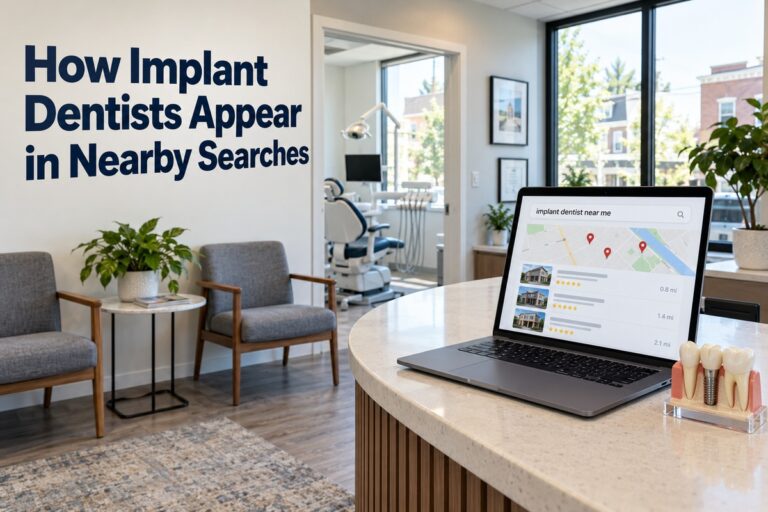
How implant dentists appear in nearby searches comes down to a few simple signals that Google checks each time a patient types “dental implants near me.” If your practice sends the right signals, you show up on the map and in the top results. If not, the patient calls the practice that does.
This guide shows what Google looks at and how you can improve your local visibility. It also covers the mistakes that keep good implant practices hidden.
What Google Looks at When Patients Search Nearby
Google says local results are based mostly on three things: relevance, distance, and prominence. Each one plays a different part in whether your practice is shown.
Relevance
Relevance is how well your listing matches what the patient typed. A patient searching for “dental implants” wants to see a practice that clearly offers implants.
If your profile and website only say “general dentistry,” Google may pass you over for a practice that lists implants first. Clear service details help Google match you to the right searches.
Distance
Distance is how far your office is from the person searching. This is the one factor you cannot change.
You can still work with it. A strong profile and good reviews can help you beat closer competitors who have weaker listings.
Prominence
Prominence is how well known and trusted your practice looks online. Google measures it with reviews, links from other sites, mentions, and how strong your website is.
Think of it as your online reputation. The better it looks, the more often Google shows you.
Quick Summary of the Three Factors
| Factor | What It Means | Can You Control It? |
|---|---|---|
| Relevance | How well you match the search | Yes |
| Distance | How close you are to the patient | No |
| Prominence | How trusted and known you are | Yes |
Why the Map Pack Matters for Implant Practices
The map pack is the group of three local listings that appears near the top of many searches. Patients see your name, rating, phone number, and directions without even visiting a website.
What the Map Pack Shows
A map pack listing usually includes:
- Your practice name and star rating
- The number of reviews
- Your address and hours
- A call button and a directions button
- A link to your website
This is often the first look a patient gets at your practice. It needs to be accurate and complete.
How Patients Search and Act
Local search is big. BrightLocal’s local SEO research shows how patients search and what they trust.
| Local Search Fact | Number |
|---|---|
| Google searches with local intent | About 46% |
| Consumers who default to Google for local searches | 45% |
| Consumers who default to Google Maps | 15% |
| Consumers who search directly inside map apps | About 1 in 5 |
| Consumers who read local reviews on Google | 71% |
These numbers come from industry surveys and can change from year to year. The pattern is clear, though. Most patients start on Google, and many never scroll past the first few listings.
Google Business Profile Tips for Implant Dentists
Your Google Business Profile is the most important tool for showing up in nearby searches. Local SEO experts in the Whitespark Local Search Ranking Factors survey rank profile signals as a leading factor for map results.
Choose the Right Primary Category
Your main category tells Google what you do. Many local SEO experts consider it one of the strongest signals on your profile.
If implants are your focus, look through Google’s category list for options that fit, such as dental implants provider. Then add secondary categories for related services. Do not pick a category that does not match your practice.
Fill Out Every Section
Google has reported that people are 2.7 times more likely to see a business as reputable when it has a complete profile. Complete means more than a name and a phone number.
Make sure you have:
- Correct hours, including holiday hours
- A local phone number that matches your website
- A list of services, such as single tooth implants, full arch implants, and implant restoration
- A short, clear business description
- Photos of your office, team, and treatment rooms
Post and Update Often
Fresh activity shows Google that your practice is open and active. Add new photos, post updates, and answer questions from patients.
Small updates every few weeks are enough. Consistency matters more than volume.
Reviews Help You Rank and Help Patients Choose
Reviews do two jobs. They support your rankings, and they help patients decide whether to call you. Implants are a big investment, so trust matters even more than usual.
Get Steady, Fresh Reviews
A steady flow of new reviews looks better than a burst of many reviews followed by silence. Ask happy patients to leave a review soon after a good visit.
You can make it easy:
- Send a text or email with a direct review link
- Add a QR code at the front desk
- Ask during the follow-up visit, when the patient is smiling at their new teeth
Never offer payment for reviews. It breaks Google’s rules and can get your reviews removed.
Reply to Every Review
Replying shows patients you care. It also shows Google that your profile is active.
Keep replies short and kind. Thank the patient and use their first name only. For negative reviews, stay calm, offer to talk by phone, and never share private health details.
Website Signals That Support Local Rankings
Your website backs up your Google Business Profile. When the two match, Google trusts you more.
Build Strong Service Pages
Give each main service its own page. For example, create separate pages for dental implants, All-on-4 implants, and implant-supported dentures.
Each page should explain the treatment in plain words. Include common patient questions, the steps of care, and a clear call to action.
Create Location Pages
If you have more than one office, give each one its own page. If you serve nearby towns, build helpful pages about the areas you serve.
Mention the city and neighborhood naturally. Add your address, a map, and details about parking or the drive.
Keep Your Name, Address, and Phone Number the Same Everywhere
Your practice name, address, and phone number should be written the same way on your website, your profile, and every directory. Small changes can confuse Google.
For example, “Suite 200” on one site and “Ste. 200” on another can cause problems. Pick one format and use it everywhere.
Common Mistakes That Hide Implant Practices
Many practices lose nearby searches because of small, fixable errors. Check this list against your own listing.
Mistakes to Avoid
- Using a general dentist category only, with no implant focus
- Listing old hours or a wrong phone number
- Stuffing city names or keywords into the business name, which can lead to a profile suspension
- Ignoring reviews, both good and bad
- Having one page for all services instead of separate pages
- Using a call tracking number as the main phone number without a matching main number listed
Check Your Own Results
Search for your main services from a few spots around your city. Try phrases like “dental implants near me,” “implant dentist in [your city],” and “full mouth dental implants.”
Note where you appear. Do this every month so you can see if your changes are working.
Patients who search nearby are often ready to book a consultation. At Parrot Branding, we build dental implant websites and run SEO that helps implant dentists show up when those patients search. A strong profile, steady reviews, and a clear website work together to bring you more of the right calls.